


TikTok Lite - Faster TikTok
4.312.39K Reviews
App Specs
- Version
- 47.4.51
- Updated On
- License
- Free
- Downloads
- 10,000,000+
- Developer
- TikTok Pte. Ltd.
- Categories
- Social
- Platform
- Android, iOS
Screenshots
 Analysis by AppCompare
I like having a quick video feed available for a short break, but a lighter app only helps if it fits the way I actually use my phone. With TikTok Lite, the appeal is straightforward: it brings TikTok’s short-form social feed to people who want a simpler, space-conscious option. I’d consider it most useful for watching and sharing, rather than as a complete replacement for every tool in the main app.
Where people can get stuck
The first point of friction is often deciding what “Lite” should mean in practice. It is still a social app built around a personalized stream, so a smaller footprint does not make the experience automatically quiet, brief, or easy to control. If you open it for one clip, the next recommendations can keep you watching longer than planned. I find it helps to decide before opening the feed whether I have time for a few videos or a longer scroll.
There is also a difference between watching and making. TikTok Lite keeps the basic social routine—viewing videos, liking, sharing, and following creators—but it is not the strongest choice if your normal workflow depends on a broad set of editing options. Before switching, think about whether you mostly browse other people’s posts or regularly build your own videos inside TikTok. That simple distinction is more useful than choosing an app solely because it sounds smaller.
For a viewer, the trade-off may barely matter. For a creator, it can show up at the worst time: when an idea is ready but a preferred editing control is not where you expect it, or is unavailable in the Lite experience. I would keep the standard app in mind if editing flexibility is central to your routine, rather than assuming the lighter version will cover every creative task.
Checks that make setup smoother
TikTok Lite is a free social app from TikTok Pte. Ltd., with a Teen content rating. It was released on December 6, 2024, and version 41.9.51 lists Android 5.0 as its minimum operating system. Those details make it a plausible option for some older Android phones, though compatibility alone does not guarantee a smooth experience on every device or network.
When setting it up, I would start with the basics: check that the phone has enough room for installation, that the operating system meets the minimum, and that the connection is stable enough to finish loading the app. If a screen seems slow, I would first distinguish between a download or connection problem and an app problem. A poor signal can interrupt the experience even when the app itself is working normally.
The app’s average rating is 4.3 from around 28,000 ratings, and it has more than 10 million installs. I take that as a sign that it has found an audience, not as a promise that every phone, connection, or personal preference will match mine. Ratings can’t tell you whether the reduced editing options fit your needs, so I’d use your own browsing and creation habits as the deciding test.
Worth Reading Before You Choose

EA SPORTS FC Mobile 26 Is a Bigger Football Game, but It Takes Time

Flipboard Shows What News Apps Must Do Beyond the Feed

Switching to Android Auto Means Rethinking Your Driving Routine

Google Calendar Makes a Crowded Week Easier to Manage

Ludo King Makes the Most of the Minutes Between Plans

Baby Panda World Brings Quick Play to Modern Phones, but Its Game Library Feels Busy
Getting back into a useful workflow
If videos pause or the feed takes a while to respond, I would avoid changing several things at once. First check whether other apps can use the connection, then try again on a steadier network if one is available. If the problem is limited to TikTok Lite, closing and reopening it is a sensible next step. This makes it easier to tell whether the interruption was temporary or part of a recurring pattern.
For a practical test, use the app during an ordinary short break rather than judging it from one hurried launch. Browse a few creators you already enjoy, try liking or sharing a clip, and notice whether the feed feels comfortable on your phone and connection. If you mainly want to watch, that small trial should reveal whether the streamlined experience suits you. If you create, test the steps you actually use before making Lite your only TikTok app.
When the app may not be the cause
Slow loading is not always a sign that TikTok Lite is at fault. A weak connection can affect video playback, and a phone with very little free space may struggle with more than one app. I would check whether the same delay happens elsewhere before deciding the app needs attention. If other services also feel slow, the network or device is a more likely place to start troubleshooting.
It is also worth separating a feature limitation from a fault. If a creation tool you rely on is missing, repeatedly reopening the app is unlikely to solve the mismatch between a lighter viewer-focused experience and a more involved editing routine. In that case, the regular TikTok app is the more sensible choice for making videos, while Lite can still make sense for browsing.
What’s the Buzz About TikTok Lite?
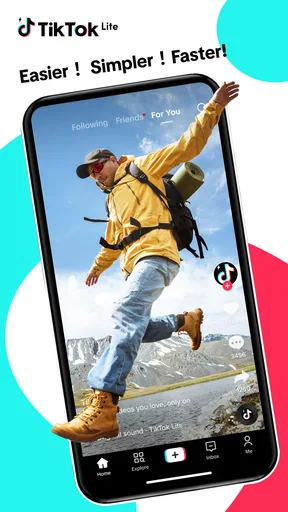
So, TikTok Lite is basically the leaner, meaner version of the regular TikTok app. It’s designed for those of us who might be struggling with storage space or dealing with slower internet connections. Despite being a lighter app, it still lets you dive into the world of viral videos, hilarious memes, and creative content.
Performance That Packs a Punch
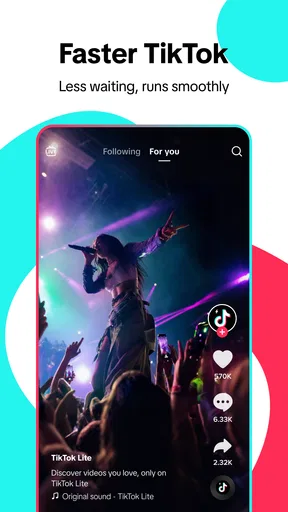
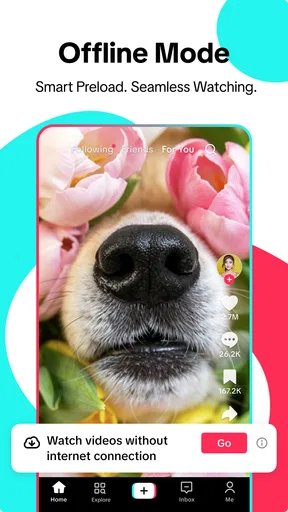
First off, let’s talk about speed. This app loads videos faster than you can say "TikTok." No more staring at the buffering icon while you wait for that cat video to load. Even on a slower network, the app seems to work smoothly, making it perfect for those quick entertainment breaks during the day.
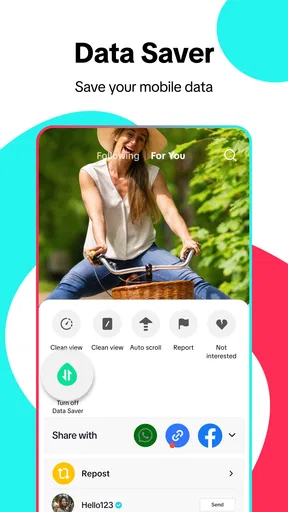
Another thing I noticed is how efficient it is with data usage. You can binge-watch as many dance challenges as you want without worrying about draining your data plan. TikTok Lite compresses data, so it’s quite gentle on your bandwidth – a real lifesaver!
Features: What’s In and What’s Out
Okay, so let’s get into the nitty-gritty. TikTok Lite offers the core features you need to enjoy TikTok, but with some trims. You can still scroll through endless content, like and share videos, and follow your favorite creators. However, some advanced editing tools are missing. If you’re someone who loves to create, you might find this a bit limiting.
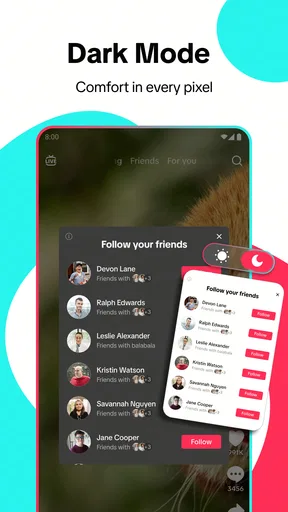
But hey, if your main goal is to watch and enjoy, this is no biggie. Plus, the app’s interface is super intuitive. You won’t find yourself lost in a sea of options – it’s all straightforward and user-friendly.
Who Should Download TikTok Lite?
If you’re rocking an older smartphone or constantly battling that "storage full" notification, this app is a game changer. It’s also perfect for those living in areas with spotty internet connections. The app takes up significantly less space and runs efficiently even under less-than-ideal conditions.
But if you’re a TikTok creator who loves crafting intricate content with all the bells and whistles, you might want to stick with the original app for its full range of editing tools.
In a nutshell, TikTok Lite is a fantastic option for anyone looking to enjoy the TikTok experience without the bulk. It’s like having a slice of cake – all the flavor, none of the guilt. So, if you’re ready to dive into the world of viral videos without slowing down your phone, give TikTok Lite a shot. You might just find it’s exactly what you’ve been looking for!
How it fits into a normal day
A realistic use for me would be opening the feed while waiting for a bus, watching a few clips, then sharing one with a friend and closing the app. That kind of brief, viewing-first session is where Lite makes the most sense: I get the familiar rhythm of short videos without needing a full editing workspace for a task I’m not doing. On a limited connection, I’d still keep sessions intentional, since continuous video playback can use data even when an app is designed with efficiency in mind.
One useful habit is to treat the feed as a discovery tool rather than a filing cabinet. If I see a creator or topic I want to revisit, following that creator gives the feed a clearer signal than relying on memory or hoping the same clip appears again. Sharing a video is also a practical way to move something into a conversation, but I would not assume that a shared clip is a substitute for saving or organizing content in a dedicated way.
Choosing between Lite and the usual alternatives
Compared with the regular TikTok app, Lite is the more appealing choice when the priority is watching, following creators, and keeping the app experience relatively lean. The standard app is the better fit when creating and editing are part of the same session. Rather than treating one as universally better, I see them as choices for different routines: a quick viewer on one hand, a fuller creative workspace on the other.
Compared with other short-video social feeds, the deciding factor is less about the format and more about where you already find the people and subjects you care about. Switching platforms can mean rebuilding the set of creators you follow and adjusting to a different recommendation feed. If your friends routinely send TikTok clips or the creators you want to watch are already there, Lite can reduce friction; if your social circle and favorite content are elsewhere, installing another feed may not add much value.
There is a trade-off that is easy to overlook: reducing the app’s demands does not change the basic habit of endless scrolling. I’d use a simple stopping cue—such as closing it after the clips shared in a chat or when a break ends—if I wanted the convenience without letting the feed take over the time I meant to spend elsewhere. This matters especially for people who open short-video apps automatically whenever they have a spare moment.
Who is likely to enjoy it, and who may not
I’d recommend trying Lite if you mainly watch, your phone is short on storage, or you prefer a straightforward way to follow creators and pass clips along. It can also be a sensible choice on a device that meets the Android requirement but feels cramped with larger apps. The useful question is not whether the app is “lite” in name; it is whether its viewing and sharing tools cover the actions you perform most often.
I would skip it as my only TikTok app if making polished videos is a regular hobby or part of my work. I’d also think twice if I already have a video app that serves the same purpose and I do not particularly want TikTok’s creator community or feed. Lite is not a magic fix for a phone that is generally struggling, nor does installing it guarantee that a weak connection will become reliable.
Small decisions that improve the experience
To judge whether it is a good fit, I would test the exact routine I expect to keep: open the feed, watch several clips, follow a creator, and share something. Then I’d try a normal session on the connection I use most often, rather than drawing a conclusion from a single unusually fast or slow moment. If the experience is frustrating only in one location, that points toward the connection; if it is consistently awkward on the phone, the lighter version may still not suit that device.
If you are moving from the regular app, keep your expectations focused on the tasks Lite is meant to handle for you. It is reasonable to use Lite for browsing and return to the standard app when you want more editing control, if both fit your needs. That split approach avoids forcing a single app to cover two different jobs, though it may not be worthwhile for someone who wants only one installation and rarely creates videos.
My practical verdict
For me, TikTok Lite works best as a simpler way to keep up with short-form videos when space and everyday convenience matter more than extensive creation tools. It is free, and its Teen rating is worth keeping in mind when deciding whether it suits a household or a younger user. I would not choose it because I expect it to solve every storage, network, or performance issue; I would choose it because my main use is watching and sharing.
The app has an average rating of 4.3 from around 6,500 reviews, and its current version is 41.9.51. Those details provide a quick snapshot, but my recommendation is still based on the practical fit: viewers with limited phone space have a clear reason to try it, while frequent creators should compare its trimmed editing experience with the regular app before switching. If a short-video feed is already part of your day and you mostly want to watch, Lite is a reasonable option; if creation or a different social community matters more, another choice may serve you better.
Pros
- Consumes less data
- ideal for limited plans.
- Faster loading times on lower-end devices.
- Simple interface
- easy to navigate.
- Small app size saves device storage.
- Retains major features of the full app.
Cons
- Lacks advanced editing tools.
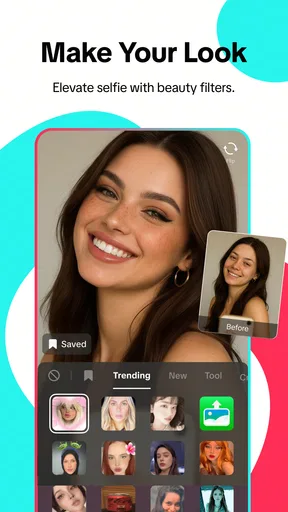
- Limited effects and filters.
- Missing some interactive features.
- No option for live streaming.
- Fewer privacy controls available.
FAQs for TikTok Lite - Faster TikTok
What is TikTok Lite, and how does it differ from the regular TikTok app?
TikTok Lite is a streamlined version of the popular TikTok app, designed for users with limited storage space and slower internet connections. It offers a faster and more efficient experience by reducing the app size and data usage, while still allowing users to create, share, and explore videos. Some advanced features of the regular app may be limited or unavailable.
Does TikTok Lite consume less data compared to the standard TikTok app?
Yes, TikTok Lite is optimized to consume significantly less data than the standard TikTok app. This is achieved through reduced video quality and simplified features, making it ideal for users with limited data plans or those operating in regions with slower internet speeds. Despite this, it still provides a satisfying user experience.
Can I use my existing TikTok account on TikTok Lite, and will my data be synchronized?
Absolutely, you can log into TikTok Lite using your existing TikTok account. Your account data, including your followers, likes, and posts, will be synchronized across both versions of the app. This ensures a seamless transition and allows you to switch between the apps without losing any information.
Are all features from the standard TikTok app available on TikTok Lite?
While TikTok Lite retains many core features of the standard app, some advanced functionalities might be limited or absent. For instance, certain video effects, filters, and editing tools might not be available. The focus of TikTok Lite is to provide a fast and efficient experience, prioritizing essential features over extras.
Is TikTok Lite available for both Android and iOS devices?
TikTok Lite is primarily designed for Android devices, catering to markets where Android is the predominant platform. As of now, there is no official version available for iOS devices. Users with iOS devices can continue to use the regular TikTok app to enjoy all features and updates.


